Free Government Tablet in Alabama: 2026 Eligibility and Safe Application Options
Alabama residents can check free or discounted tablet options, but the safe path starts with clear facts. In 2026, tablet access usually depends on Lifeline-related provider offers, Alabama Food Assistance or EBT eligibility, Alabama Medicaid eligibility, household income, ZIP code coverage, device stock, and local digital access resources.
Quick Answer for Alabama Residents
If you live in Alabama and searched for a free government tablet, start here: there is no guaranteed federal or Alabama tablet giveaway for every eligible household. The safer route is to confirm whether your household qualifies for Lifeline, then check whether any provider serving your exact ZIP code has a current tablet or discounted device offer.
Alabama Food Assistance, SNAP, Alabama EBT, Medicaid, SSI, Federal Public Housing Assistance, Section 8, Veterans Pension, Survivors Benefit, Tribal assistance, and income eligibility can help prove that you may qualify. They do not automatically send a tablet to your home.
The provider controls the device offer. Your county, physical service address, rural road, apartment building, shelter address, PO box issue, Black Belt location, Gulf Coast community, north Alabama mountain area, Wiregrass town, tablet stock, activation rule, shipping rule, and any copay can change the result.
Best first step
Choose your eligibility path: Alabama Food Assistance, Medicaid, SSI, income, housing assistance, veterans benefits, Tribal assistance, or another accepted program.
Best Alabama check
Use your exact ZIP code and physical address. Birmingham, Huntsville, Mobile, Montgomery, Tuscaloosa, rural counties, and Gulf Coast areas may show different provider options.
Best safety rule
Never share your EBT PIN, MyDHR login, bank login, full Medicaid portal access, gift card payment, or unnecessary sensitive information with a site promising a tablet.
What “Free Government Tablet” Means in 2026
The phrase “free government tablet” can be confusing. Most Alabama residents are not applying for a tablet directly from the federal government. They are usually checking whether they qualify for a phone or internet discount and whether a private provider has a tablet, phone, SIM, or discounted device offer available in their area.
The Affordable Connectivity Program, ACP, has ended. Households stopped receiving ACP discounts on June 1, 2024. During ACP, some providers offered a one-time device discount for a laptop, desktop computer, or tablet. That ACP tablet path is not active for new 2026 applications.
Lifeline is different. Lifeline remains active and mainly lowers the monthly cost of phone, internet, or bundled service for eligible households. A tablet may appear only as a provider offer connected to service, and the provider may set rules for device type, stock, condition, activation, shipping, and cost.
| Term | What it means | What Alabama residents should know |
|---|---|---|
| ACP | A federal broadband affordability program that ended. | Do not trust sites claiming active “ACP tablet 2026” enrollment. |
| Lifeline | A monthly discount for eligible phone, internet, or bundled service. | It can lower service costs, but it does not guarantee a tablet. |
| Provider tablet offer | A device offer from a participating company. | Availability depends on ZIP code, coverage, stock, device condition, activation, shipping, and copay terms. |
| Alabama EBT or SNAP | Benefit proof that may help with eligibility. | It does not automatically create a tablet shipment. |
| Local digital access | Help from libraries, assistive technology programs, broadband resources, and local agencies. | This matters if no tablet offer appears in your Alabama ZIP code. |
Does Alabama Have a Free Tablet Program?
There is no verified Alabama statewide program that guarantees a free tablet to every low-income resident in 2026. “Government tablet program Alabama” is a broad search phrase, not the name of one official tablet giveaway.
Alabama does have several programs and resources that matter for this topic. The Alabama Department of Human Resources administers the Food Assistance Program, which is Alabama’s SNAP program. Alabama residents can apply for food assistance through MyDHR or through county DHR offices. EBT is used for SNAP and some other public assistance benefits.
Alabama Medicaid is handled by the Alabama Medicaid Agency. Medicaid eligibility can support a Lifeline application, but Medicaid itself does not send tablets to every member. If a Lifeline or provider system cannot verify your Medicaid record automatically, a current Alabama Medicaid document may help with manual review.
For digital access, Alabama has the Alabama Digital Expansion Division within ADECA. ADECA also points residents and partners to Be Linked Alabama and broadband planning resources. This matters because many Alabama households still face different broadband realities depending on address, county, terrain, and provider coverage.
Libraries can also help. The Alabama Public Library Service supports public libraries across the state, and the Alabama Virtual Library gives Alabama students, teachers, and residents 24/7 access to online resources free of charge. If you cannot get a tablet offer, a local library may still help with computers, Wi-Fi, printing, scanning, online benefits access, and basic digital help.
For residents with disability-related technology needs, Accessing Potential Through Assistive Technology, APTAT, is a program of the Alabama Department of Rehabilitation Services. It offers short-term device loans, device demonstrations, device reuse, technical assistance, training, and financial resource guidance. For broader low-income support, the Community Action Association of Alabama can help people find local Community Action agencies.
Alabama Food Assistance and EBT
Best for residents who receive SNAP or have current DHR benefit proof.
Alabama Medicaid
Best for residents who can show current Medicaid eligibility through official documents.
Libraries, APTAT, and Community Action
Best for alternatives when no provider tablet offer is available in your ZIP code.
Main Ways Alabama Residents May Qualify
Most Alabama residents qualify for Lifeline through either program-based eligibility or income-based eligibility. The exact proof you need depends on whether the system verifies you automatically or asks for documents.
Program-based eligibility
You may qualify if you, your child, or someone in your household participates in an accepted program such as:
- Alabama Food Assistance Program, SNAP
- Alabama Medicaid
- Supplemental Security Income, SSI
- Federal Public Housing Assistance, including Section 8
- Veterans Pension or Survivors Benefit
- Some Tribal assistance programs, if your household and location meet the current Lifeline rules
Income-based eligibility
You may also qualify by household income. Federal Lifeline uses income at or below 135% of the Federal Poverty Guidelines. The income limit depends on household size and is updated by year, so always check the current official Lifeline table before relying on an old number.
Alabama household examples
A parent in Birmingham who receives SNAP may use Alabama Food Assistance proof. A senior in Montgomery who receives Medicaid or SSI may use that benefit path. A family in Mobile County may need to check both wireless coverage and shipping rules. A resident in a rural Black Belt county, north Alabama hill community, Wiregrass town, or Gulf Coast area may see different provider results than someone in Huntsville or Tuscaloosa.
Only one federal Lifeline benefit is allowed per household. This matters in apartments, shared housing, shelters, student housing, and multi-family homes. If people live at the same address but do not share income and expenses, extra household proof may be needed.
EBT and SNAP Free Tablet Options in Alabama
Alabama Food Assistance is one of the clearest eligibility paths for many residents. People often search for “free tablet with EBT in Alabama” or “SNAP free tablet Alabama,” but an EBT card itself does not give out a tablet.
Think of Alabama Food Assistance or SNAP as proof that may help you qualify for Lifeline. After that, you still need to check whether a provider serving your ZIP code has a current tablet or discounted device offer.
Alabama residents may manage food assistance through MyDHR and may use Alabama EBT for benefit access. Keep your card and account details secure. A real eligibility check should never ask for your EBT PIN.
If you need a broader explanation of EBT-based tablet eligibility, read the main site page on tablet options with EBT.
| If you have | How it helps | What it does not do |
|---|---|---|
| Alabama EBT card | May show a connection to SNAP or other Alabama benefits. | Does not guarantee a tablet, approval, service, or provider stock. |
| Alabama Food Assistance approval notice | Can support program-based eligibility if automatic verification fails. | Does not replace the provider ZIP code and coverage check. |
| MyDHR account information | May help you manage food assistance records and notices. | Do not share your MyDHR password with provider ads or unofficial sites. |
| County DHR notice | Can be useful because Alabama food assistance can involve county DHR offices. | An old notice with a wrong address, missing date, or unreadable name can slow verification. |
Alabama application problems often come from document mismatches. If your DHR notice has an old address, a name spelling issue, a missing date, or an unreadable case detail, fix the record first if possible. The document should clearly show your name, program, date, and current status.
Medicaid Free Tablet Options in Alabama
Alabama Medicaid is another common eligibility path. Many residents search for “free tablet with Medicaid in Alabama,” but Alabama Medicaid does not directly mail tablets to every member. It can help prove eligibility for Lifeline. A tablet offer still depends on a participating provider.
The Alabama Medicaid Agency provides information and application options for Medicaid. Some residents may apply online, use paper forms, or contact the agency for help. If your Medicaid record is active, current proof can help when a Lifeline or provider system needs manual verification.
Medicaid documents can be useful for children, parents, caretakers, pregnant applicants, seniors, residents with disabilities, and other eligible groups. If the eligibility system cannot verify you automatically, you may need to upload a current eligibility letter, approval notice, recipient record, or other official proof.
Lifeline Tablet and Phone Options in Alabama
Lifeline helps eligible households lower the monthly cost of phone, internet, or bundled service. It is mainly a service discount. A provider may offer a phone, SIM card, tablet, or discounted Android device with service, but that device offer is controlled by the provider.
The National Verifier is the central Lifeline application system for most consumers. It may verify your eligibility through database checks. If it cannot confirm your record automatically, you may need to upload documents. Alabama residents should use official Lifeline resources or a legitimate participating provider, not random social media forms.
How Lifeline connects to tablet offers
- You check whether your household qualifies through benefits or income.
- You use the official Lifeline application path or a participating provider.
- You search participating companies by ZIP code or exact service address.
- The provider explains service plans, coverage, device offers, activation rules, and current stock.
- You confirm whether any tablet is free, discounted, refurbished, limited-stock, or tied to a copay.
For a safer general path, read how to apply. For service and device basics, see Lifeline phone and tablet options.
Documents You May Need
Document problems are one of the biggest reasons applications get delayed. Alabama applicants should prepare clear, current proof before starting. This is especially important if your DHR, MyDHR, Alabama EBT, Medicaid, SSI, housing, or physical address information recently changed.
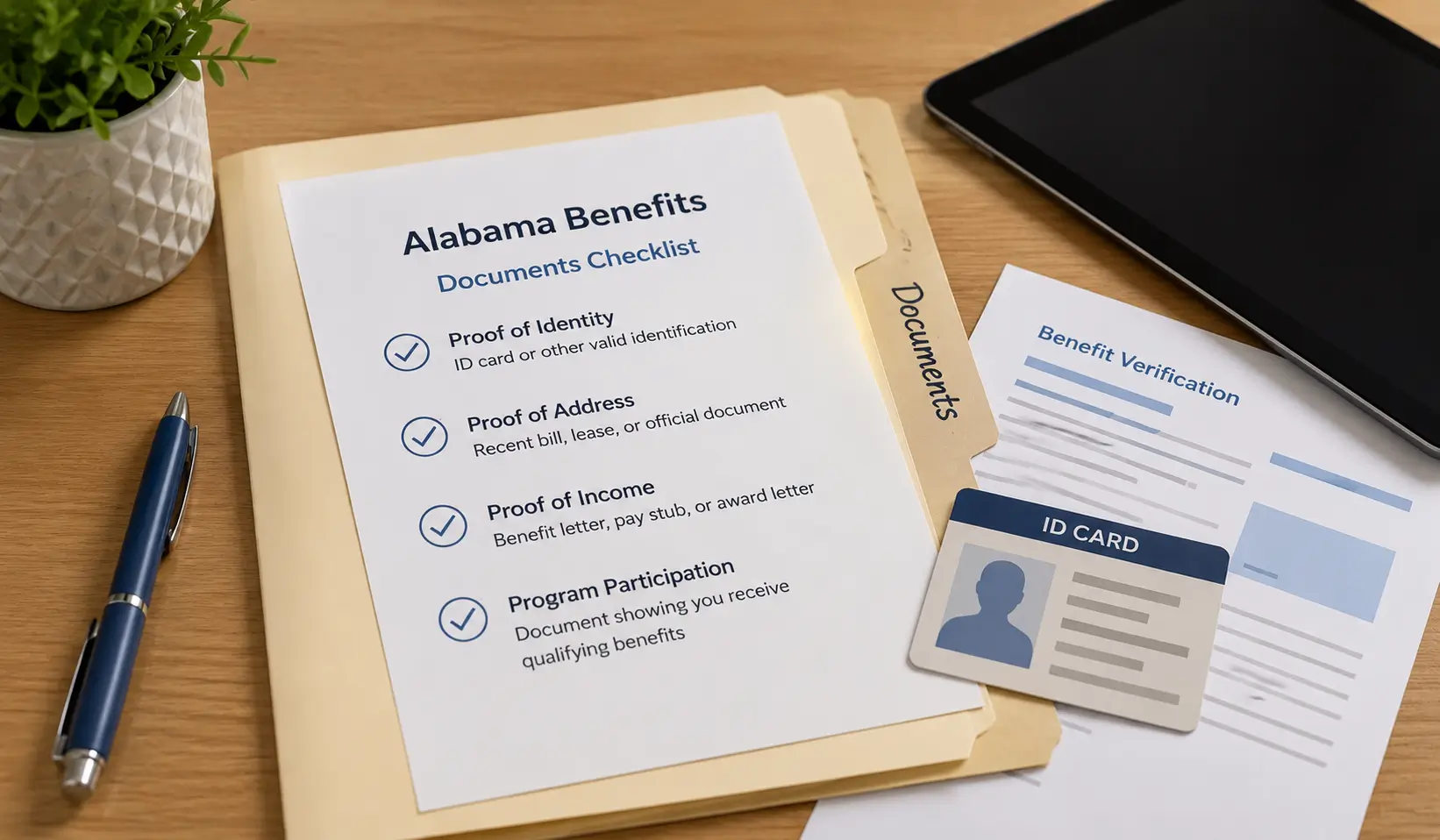
| What you may need to prove | Common examples | Alabama-specific mistake to avoid |
|---|---|---|
| Identity | Alabama driver license, Alabama non-driver ID, passport, birth certificate, military ID, or another accepted identity document. | Uploading a blurry photo where your name or date of birth cannot be read. |
| SNAP or Food Assistance eligibility | Alabama Food Assistance approval notice, county DHR benefit letter, MyDHR record, or current proof connected to Alabama EBT. | Uploading only an EBT card photo and sharing your PIN. Never share your EBT PIN. |
| Medicaid eligibility | Alabama Medicaid approval notice, recipient letter, official eligibility proof, or agency document. | Using only a card if it does not clearly show current Medicaid eligibility. |
| Income | Pay stubs, tax return, unemployment statement, Social Security statement, pension statement, or other accepted income proof. | Sending a partial document when the application asks for a full income period. |
| Address | Utility bill, lease, benefit notice, shelter letter, school document, or another accepted address proof. | Using only a PO box when the provider needs a physical Alabama service address. |
| Household status | Household Worksheet or other proof if another Lifeline applicant lives at the same address. | Assuming every person in one shared home, shelter, or apartment can receive a separate benefit without proof. |
| Tribal eligibility | Official proof of qualifying Tribal program participation or qualifying Tribal land status if applicable. | Claiming Tribal eligibility when it does not apply to your household or location. |
For a full document breakdown, see the main site page on government tablet documents.
Step-by-Step Application Path
Use this practical path if you are checking free or discounted tablet options in Alabama. It keeps the process safer and helps you avoid fake application sites.
1. Pick your eligibility path
Use Alabama Food Assistance, Alabama Medicaid, SSI, income, housing assistance, veterans benefits, Tribal assistance, or another accepted path.
2. Gather documents first
Prepare proof of identity, eligibility, address, and household status. Save current MyDHR, county DHR, Medicaid, or benefit notice details if you recently updated your case.
3. Use official Lifeline routes
Use Lifeline Support, the National Verifier, USAC Companies Near Me, or a participating provider. Do not start with a random ad that asks for an EBT PIN, gift card, or bank login.
4. Watch for document requests
If the application is pending, read the request carefully. Upload the exact proof requested, not extra unrelated documents.
5. Search providers by ZIP code
Compare companies for your exact Alabama address. Birmingham, Montgomery, Huntsville, Mobile, Tuscaloosa, rural counties, and border areas can show different results.
6. Confirm tablet terms
Ask whether a tablet is available, whether it is new or refurbished, what type of device may ship, and whether there is any copay, shipping fee, activation step, or usage rule.
Provider Availability and ZIP Code Checks
Alabama is not one simple coverage area. Provider availability can look different in Birmingham, Huntsville, Montgomery, Mobile, Tuscaloosa, Dothan, Auburn, the Black Belt, the Tennessee Valley, the Gulf Coast, the Wiregrass, and rural communities near the Georgia, Mississippi, Tennessee, or Florida borders.
ZIP code checks matter because wireless signal, broadband availability, address eligibility, provider enrollment areas, shipping rules, and device stock can vary. A provider that works well in a dense Birmingham neighborhood may not be the best choice for a rural road in west Alabama or a coastal address near Mobile Bay.
| What to check | Why it matters in Alabama | Question to ask |
|---|---|---|
| Exact service address | PO boxes, rural routes, shelters, apartment buildings, and county-line addresses can create verification issues. | Do you provide Lifeline service at my exact physical address? |
| Network quality | Coverage can differ between metro areas, Black Belt counties, north Alabama hills, Gulf Coast areas, and rural roads. | Which network does the service use where I live? |
| Tablet stock | Device inventory can change quickly and may vary by ZIP code. | Is a tablet actually available for my ZIP code today? |
| Device condition | Some devices may be refurbished, basic Android models, or limited-stock units. | Is the device new or refurbished, and what type of tablet may ship? |
| Total cost | Some offers may include a copay, shipping fee, activation rule, or monthly usage requirement. | What is the total amount I must pay before receiving the device? |
Use the main site page on government tablet options near you to understand why local provider checks matter. If you are comparing device expectations, read the guide to basic government Android tablet options.
What To Do If No Tablet Offer Is Available
If no provider tablet offer is available in your Alabama ZIP code, do not assume you failed. It may simply mean the provider has no device stock, no tablet promotion, no shipping option, or no service at your address.
Try Lifeline service first
A discounted phone or internet service plan may still help you make calls, receive texts, manage MyDHR notices, check Medicaid information, use school portals, attend telehealth visits, and stay connected while you look for a tablet.
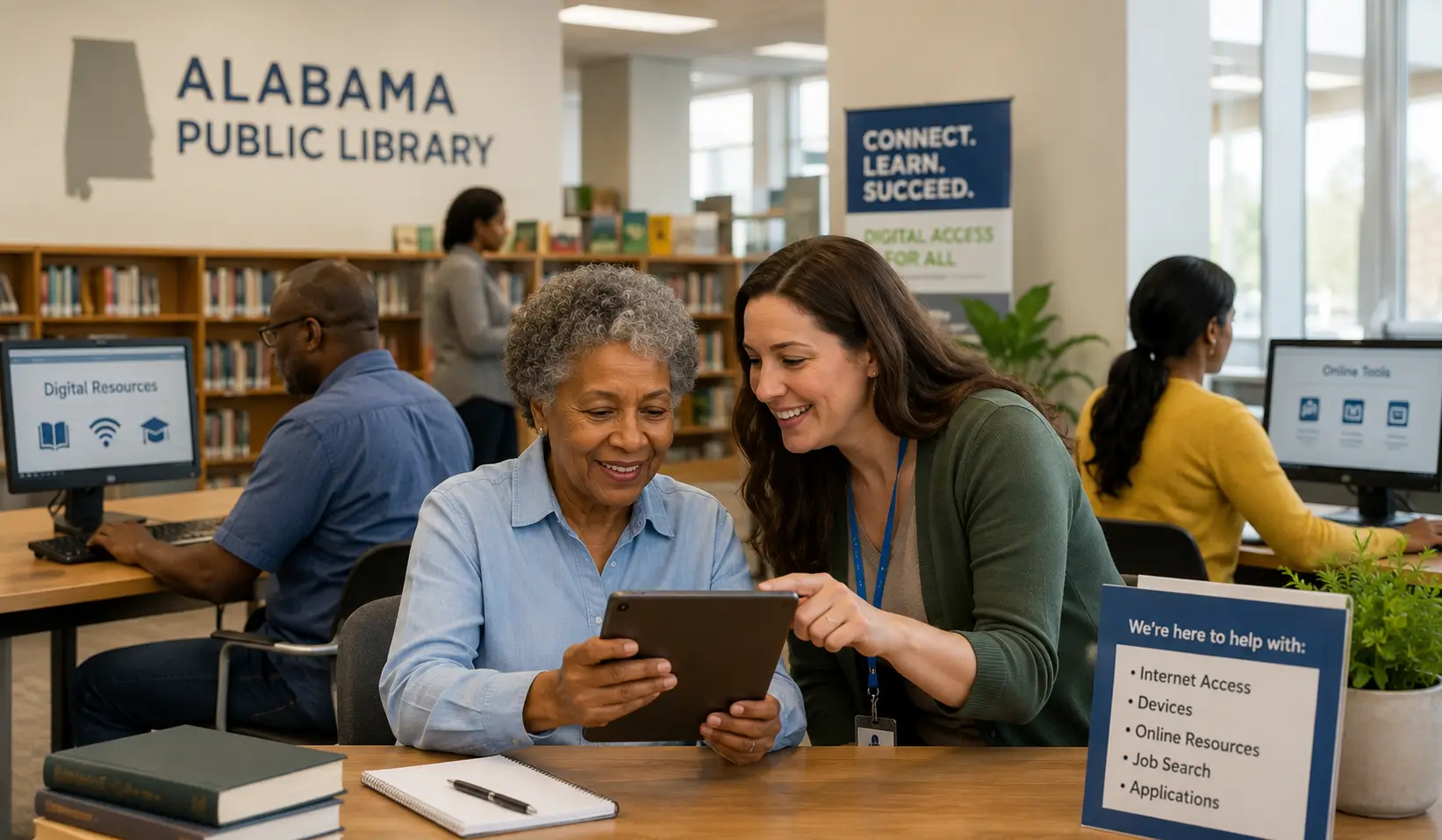
Ask your local library
Alabama public libraries may offer computers, Wi-Fi, printing, scanning, online resources, job search help, digital classes, and basic technology support. The Alabama Virtual Library also gives Alabama residents free online access to research and learning resources. Call your local branch before visiting because services vary by city and county.
Check APTAT for disability-related needs
If your device need is connected to disability, communication, vision, hearing, learning, mobility, independent living, school access, or work access, APTAT may be useful. Its short-term loans, demonstrations, device reuse, training, and funding guidance are not the same as a free consumer tablet program, but they can help residents who need assistive technology.
Use ADECA broadband resources
ADECA’s Alabama Digital Expansion Division and Be Linked Alabama resources can help residents understand broadband expansion work, local internet access issues, and digital connectivity planning. This can be especially useful in rural areas where service options are limited.
Contact a local Community Action agency
Community Action agencies may not hand out tablets, but they can connect low-income households with energy help, referrals, housing-related support, emergency assistance, and local programs. The Community Action Association of Alabama has an agency finder for local help.
Special Groups in Alabama
Seniors
Alabama seniors may qualify through Medicaid, SNAP, SSI, income, housing assistance, or other accepted paths. A tablet can help with telehealth, prescription reminders, video calls, benefit renewals, transportation apps, and online banking. Seniors should confirm screen size, charger availability, support options, device condition, and whether the plan has enough data for daily use. For more senior-focused help, visit tablet options for seniors.
Veterans
Some veterans may qualify through Veterans Pension, Survivors Benefit, SNAP, Medicaid, housing assistance, or income. Alabama veterans should keep official benefit documents clear and current. If a provider asks for proof, upload only documents that show the required eligibility information. For more details, see tablet options for veterans.
Families with Alabama EBT or SNAP
Families using Alabama EBT often need internet or a device for school portals, child care forms, benefit renewals, job searches, medical appointments, and county notices. SNAP can support eligibility, but a provider must still confirm any tablet offer. Do not share your EBT PIN with anyone offering a tablet.
Medicaid households
Alabama Medicaid households may include children, parents, caretakers, pregnant applicants, seniors, people with disabilities, and other eligible groups. Keep current Medicaid proof ready. If your case is under review or your address recently changed, update your benefit record before starting a provider application if you can.
Rural residents
Rural Alabama residents may face different issues than residents in Birmingham, Huntsville, Montgomery, Mobile, and Tuscaloosa. Service coverage, shipping, public transportation, local pickup, library hours, and broadband quality can vary in Black Belt counties, north Alabama hill communities, Wiregrass towns, Gulf Coast communities, and border areas. Always check your exact service address, not just your county name.
Tribal households
Some Alabama residents may have additional Lifeline-related eligibility paths if they live on qualifying Tribal lands or participate in qualifying Tribal assistance programs. Tribal eligibility rules are specific. Use official Lifeline resources and confirm whether the Tribal program or land status applies to your household before relying on it.
Students and adult learners
Low-income students, adult learners, GED students, community college students, job trainees, and English learners may need a device for coursework and applications. Lifeline eligibility usually depends on household benefits or income, not student status alone. Libraries, schools, workforce centers, and local agencies may have better local referrals if no provider tablet is available.
Alabamians with disabilities
Residents with disability-related technology needs should check both service discounts and assistive technology resources. A general tablet offer may not include accessibility support, while an APTAT device loan, demonstration, reuse center, or funding referral may help with screen access, communication, magnification, typing, learning, or daily living needs.
Scam Warnings for Alabama Residents
Public-benefits scams often target people who need help fast. Be careful with websites, text messages, social posts, calls, or popups that make tablet approval sound automatic.
- Never share your EBT PIN. A Lifeline or tablet eligibility check does not need it.
- Do not share your MyDHR password, Medicaid portal login, banking login, or full benefit account access.
- Do not pay with gift cards, cryptocurrency, wire transfer, or payment apps to unlock a tablet.
- Do not trust ACP tablet claims for 2026. ACP ended and is not an active new tablet path.
- Check whether the company is a real Lifeline provider before uploading ID documents.
- Read the provider’s device terms before agreeing to shipping, activation, or plan rules.
- Be careful with callers or texters who claim the state will send direct grant money or devices if you provide financial information.
Free Tablet Apply is independent and informational only. It does not issue tablets, approve Lifeline applications, represent the government, or decide provider availability. Read the site disclaimer at Free Tablet Apply Disclaimer.
Helpful Checklist Before You Apply
Use this checklist before starting an Alabama Lifeline or tablet-related application.
- I understand ACP ended and households stopped receiving ACP discounts on June 1, 2024.
- I understand Lifeline mainly helps with phone or internet service.
- I have checked whether I qualify through Alabama Food Assistance, Medicaid, SSI, income, housing assistance, veterans benefits, Tribal assistance, or another accepted path.
- I have a clear photo or scan of my Alabama ID or another accepted identity document.
- I have current SNAP, EBT, Medicaid, SSI, housing, veterans, income, or Tribal program proof if needed.
- I have saved current MyDHR, county DHR, or Medicaid notice information if I recently updated my benefits.
- I have a physical service address, not only a PO box.
- I understand only one Lifeline benefit is allowed per household.
- I have checked providers by exact ZIP code and address.
- I have asked whether the device is new, refurbished, basic Android, or limited-stock.
- I have confirmed any copay, shipping cost, activation rule, return policy, and monthly usage requirement.
- I have not shared my EBT PIN, bank login, MyDHR password, or unnecessary personal information.
FAQs About Free Tablets in Alabama
Can I get a free government tablet in Alabama in 2026?
You may be able to find a free or discounted tablet offer, but Alabama does not have one guaranteed tablet program for every eligible resident. Check Lifeline eligibility, then confirm any device offer by your exact ZIP code.
Does Alabama Food Assistance qualify me for a tablet?
Alabama Food Assistance or SNAP may help you qualify for Lifeline. It does not automatically guarantee a tablet. A provider must still confirm service, stock, device terms, shipping, and any required copay.
Can I use my Alabama EBT card as proof?
Your EBT card may show a connection to Alabama benefits, but many applications need a current approval notice or benefit document. Never share your EBT PIN with anyone offering a tablet.
Can Alabama Medicaid help me get a tablet?
Alabama Medicaid can be used as an eligibility path for Lifeline. A tablet may be available only if a participating provider serving your address has a current device offer.
Is ACP still available for Alabama tablet applications?
No. ACP ended, and households stopped receiving ACP discounts on June 1, 2024. Be careful with websites that still advertise active ACP tablet applications for 2026.
Why do tablet offers change between Birmingham and rural Alabama?
Provider service areas, wireless coverage, broadband access, shipping rules, and device stock can vary by address. A provider available in Birmingham or Huntsville may not offer the same option in a rural Black Belt, Gulf Coast, Wiregrass, or north Alabama community.
Do I need a MyDHR account to apply for Lifeline?
Not always. MyDHR is used for Alabama food assistance applications and account information. Lifeline has its own process, but MyDHR or county DHR notices may help prove SNAP eligibility.
Can seniors in Alabama qualify for tablet options?
Yes, seniors may qualify through Alabama Medicaid, Food Assistance, SSI, income, housing assistance, or other accepted paths. Seniors should also check local libraries, Community Action agencies, and APTAT if disability-related technology support is needed.
Can two people at the same Alabama address each get Lifeline?
Only if they are separate households under Lifeline rules. If they live together but do not share income or expenses, they may need to complete a household worksheet or provide extra proof.
What if my Alabama benefit document has an old address?
Update your benefit record before applying if possible. Address mismatches can slow down verification, especially when a provider needs a physical service address for coverage and shipping.
Does Alabama Virtual Library give out tablets?
No. Alabama Virtual Library provides free online information resources for Alabama residents. It is useful for research and learning, but it is not a tablet giveaway program.
Who can help me locally if no tablet offer is available?
Your local library, Community Action agency, APTAT, school, workforce center, senior center, Independent Living Center, or local nonprofit may be able to offer referrals, computer access, device help, or digital skills support.
Final Helpful Summary
A free government tablet in Alabama is not guaranteed in 2026. The real path is more careful: check Lifeline eligibility, use official verification steps, search providers by exact ZIP code, and confirm any tablet offer before sharing sensitive information.
If you receive Alabama Food Assistance, use Alabama EBT, receive Alabama Medicaid, receive SSI, have housing assistance, receive veterans benefits, live on qualifying Tribal lands, or meet the income limit, you may have a strong eligibility path. If no tablet offer is available where you live, check local alternatives such as public libraries, Alabama Virtual Library, APTAT, ADECA broadband resources, Community Action agencies, and safe low-cost refurbished devices.
For more help across the site, visit Free Tablet Apply, read the application steps, compare provider options, or browse more public-benefits explainers on the blog. You can also review who runs the site on the about page or ask a question through the contact page.
External Resources
Use these official or trusted resources to verify program rules before applying. External links are listed here only so the main article stays focused and easy to read.
- FCC Affordable Connectivity Program status
- FCC Lifeline consumer information
- Official Lifeline Support website
- Lifeline eligibility rules
- National Verifier application path
- USAC Companies Near Me tool
- Alabama DHR Food Assistance information
- MyDHR Alabama online application portal
- Alabama EBT Connect portal
- Alabama Medicaid Agency
- Applying for Medicaid in Alabama
- ADECA Alabama Digital Expansion Division
- Be Linked Alabama broadband resources
- Alabama Public Library Service
- Alabama Virtual Library
- APTAT assistive technology resources
- Community Action Association of Alabama